

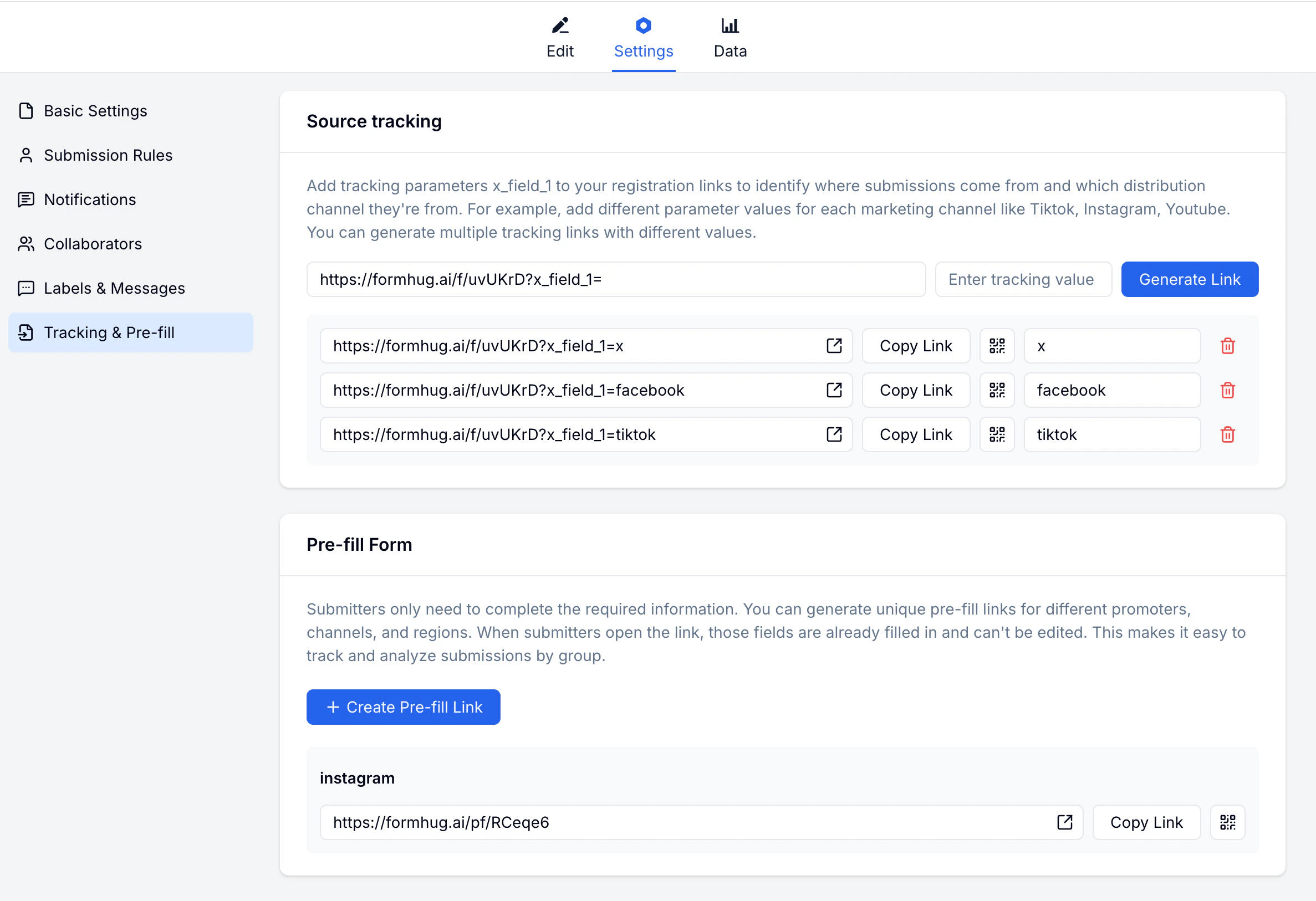
Source Tracking
Create named tracking links for each traffic source. Each link uses the same form URL but tags submissions with the source name, so you can see where responses originated. Common tracking sources:| Source name | Channel |
|---|---|
x | Posts on X (Twitter) |
facebook | Facebook posts or ads |
tiktok | TikTok bio or posts |
email | Email campaigns |
website | Links from your own site |
Creating a Tracking Link
Pre-fill Links
Generate a link with certain fields already completed. Useful for personalized invitations or when you already know some of the submitter’s data.Creating a Pre-fill Link
Open Tracking & Pre-fill
Go to your form → Settings → Tracking & Pre-fill and find the Pre-fill section.
Related
Share Link
Publish and share your form
Submissions
View and filter your responses
Lead Generation Guide
Learn how to structure campaign forms and track response sources
Lead Generation Templates
Start from demo, quote, callback, and early-access forms